
Automatic Order Printing with Star CloudPRNT
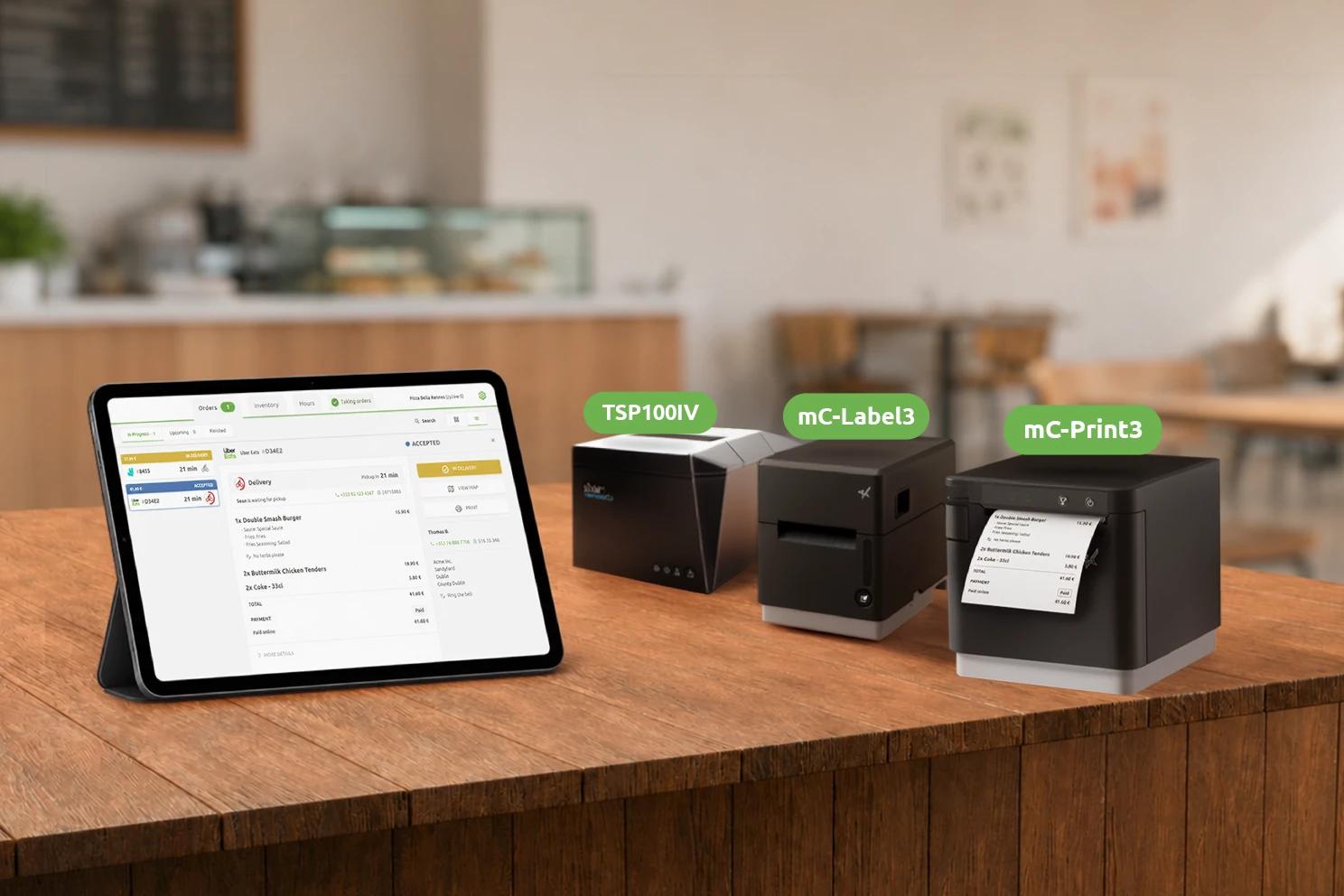
OrderLine, the order manager built into HubRise, now supports automatic order printing with Star CloudPRNT printers. Orders can be printed on arrival, or when they reach a specific status, for example "in preparation", with no manual action required.
Star CloudPRNT printers connect directly to the Internet: OrderLine is only used to configure the printer, and you don't need to keep it running for orders to print.
OrderLine remains, of course, compatible with any standard USB or Bluetooth printer connected to your tablet, PC, or mobile phone.
Your Orders Printed on Arrival
As soon as an order arrives in HubRise, from a delivery platform, your kiosk, your website, or any other connected source, the ticket is printed automatically. You can configure several printers per location, for example one for the kitchen and one for the counter, and choose which statuses trigger printing on each of them.
You can also trigger a manual print with the usual "Print" button on the order page.
Star CloudPRNT Printers
We chose Star CloudPRNT printers for this new feature because Star Micronics is a leading player, its printers are available from many resellers, and the CloudPRNT protocol allows them to work plug-and-play, with no additional subscription.
In practice, you buy your printer from the reseller of your choice. Expect to pay around €250 (or the equivalent in your local currency) for a TSP143IV model. Then you plug it into your network, configure it in OrderLine, and it's ready to print your orders. There is no additional subscription to take out with HubRise or Star Micronics.
Compatible models include the TSP100 IV, mC-Print2, mC-Print3, mC-Label2, and mC-Label3 in their Ethernet or Wi-Fi variants. Other older models (TSP650II, TSP700II, TSP800II, SP700) can be made compatible by adding an interface card. The full and up-to-date list is available in our documentation.
Up and Running in Minutes
Getting started takes just three steps:
- Plug the printer into your network, via Ethernet or Wi-Fi.
- Enter into the printer the URL and password shown on the OrderLine settings page. This can be done via the printer's web interface, or via the free Star Quick Setup Utility app on iOS and Android.
- Authorise the printer in HubRise as soon as it appears in the list of pending printers.
The printer is then ready to receive your orders.
For more information on configuring and using your Star CloudPRNT printer, see our documentation.
A Complete Platform for Digital Ordering
This new feature is part of our vision of a platform that covers the full operational cycle of a connected restaurant: Catalog Manager to manage your products across your digital channels, OrderLine to track your orders in real time, and an open ecosystem of apps to connect the tools of your choice to your EPOS.
Since its creation in 2015, HubRise's mission has not changed: an open platform for retail and hospitality, with quality support, at a fair and transparent price.
HubRise is also available as a white label for software vendors who want to offer integrations and digital ordering tools while staying focused on their core business.
Have questions about this blog post?
Whether you're looking for more details about this article or want to find out how HubRise can help your business, we're here for you.