
OrderLine Redesigned: Simpler Navigation, List Mode, and More Information on Your Orders
OrderLine, the order manager built into HubRise, has been redesigned to offer a smoother and more complete experience. This new version brings simplified navigation, a new display mode, better preparation time management, and enriched information on each order.
Redesigned Navigation
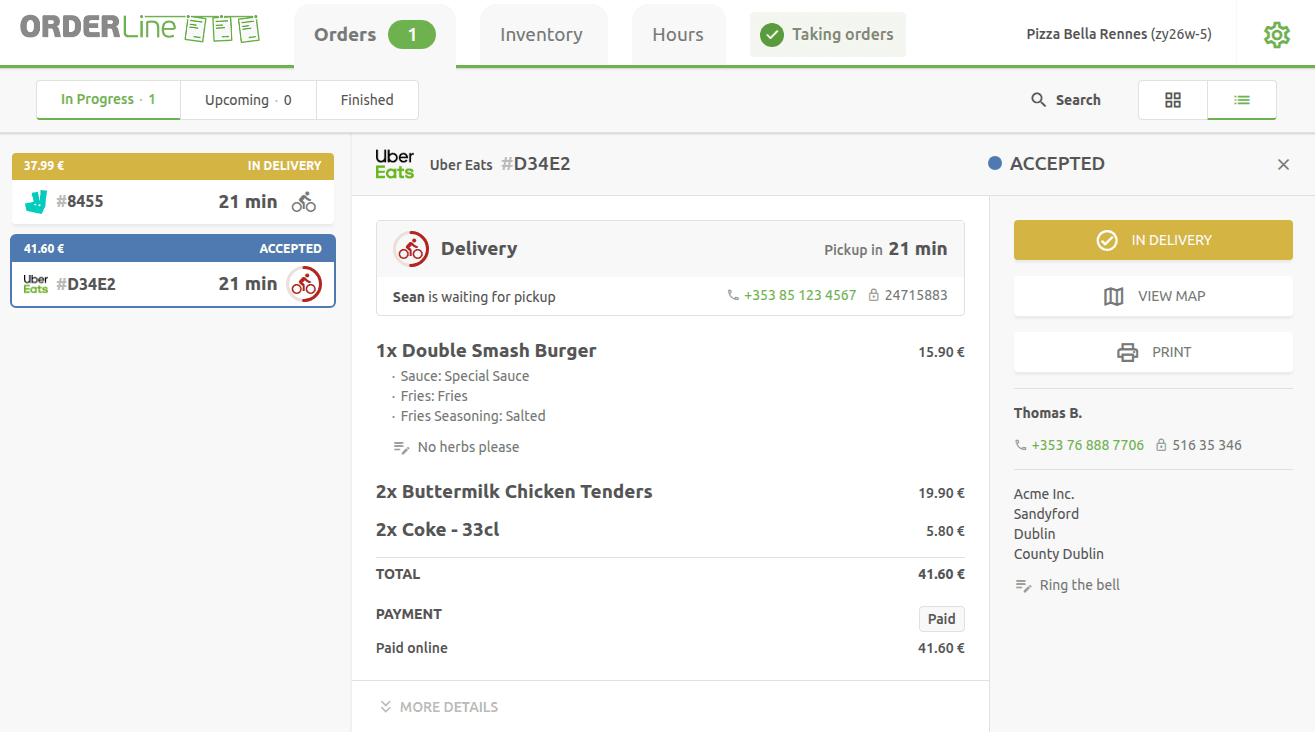
The first visible change is the reorganised navigation. Orders are now split into three tabs:
- In progress: active orders, currently being prepared or delivered.
- Upcoming: scheduled orders that don't need to be handled yet.
- Finished: orders that have been delivered, collected, or cancelled.
This sorting simplifies reading and lets you focus on what's relevant, without having to manually filter your orders.
The List Mode
Until now, OrderLine offered a grid display where each order opened in a new page or modal window. This mode is still available for those who prefer it.
The new version introduces a List mode, accessible by clicking the corresponding icon at the top right of the screen. In this mode, order thumbnails are arranged in a column on the left side of the screen, and the details of the selected order appear directly on the right. Simply click a thumbnail to switch between orders without leaving the page.
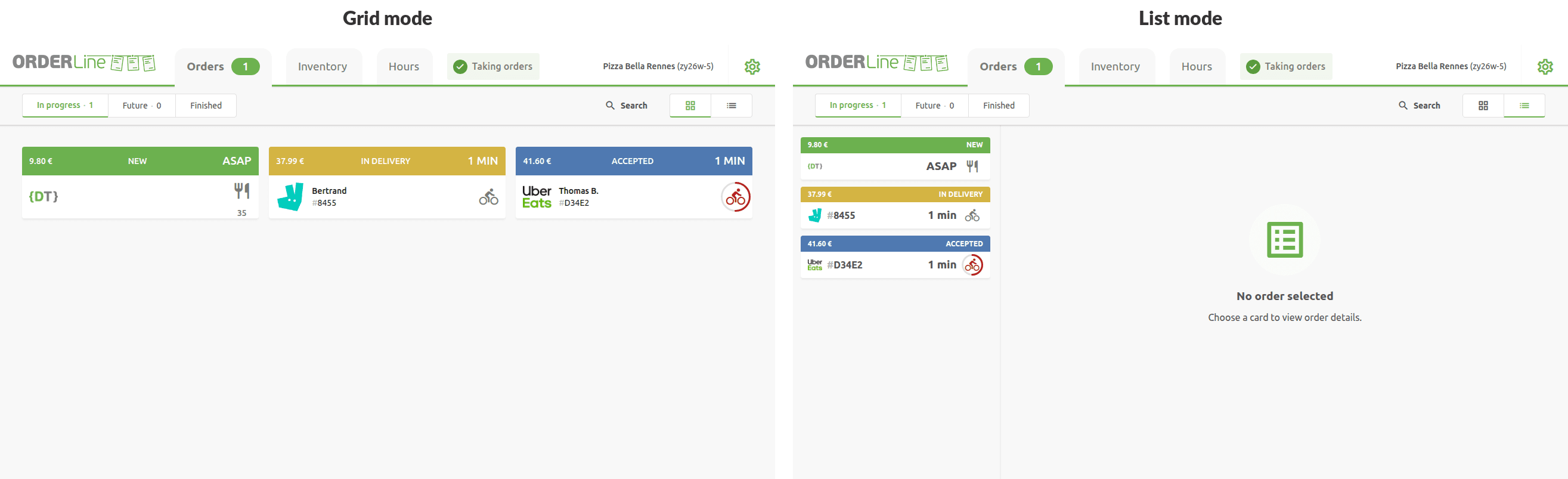
List mode makes navigating between orders much faster: you browse your orders with a single click, without going back and forth between a list and a detail page. For those using OrderLine on a computer, the new version also supports keyboard navigation: arrow keys move between orders, Enter opens the order details, and Escape closes it.
Delay Management
OrderLine now clearly displays the time remaining before the expected collection or delivery time for each order. This countdown lets you prioritise your work at a glance.
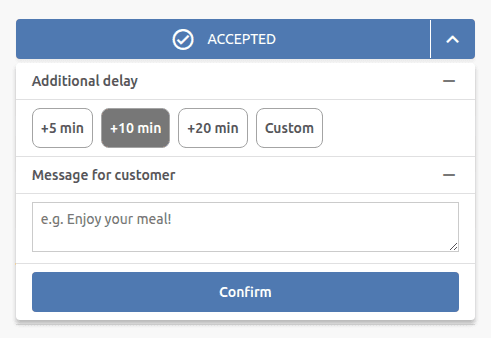
And if you need a little more time? OrderLine lets you easily set an additional delay directly from the order, by choosing from predefined values or entering a custom delay in minutes. The customer and the platform are automatically notified of the new delay.
Enriched Delivery Information
Order details now contain more complete information, especially for deliveries:
-
Driver status: you can follow the driver's progress in real time (en route for pickup, waiting, delivering, delivered...), with an indication of the last update. The driver's position is also shown on a map, if the platform provides this information.

-
Driver contact: the driver's contact details are directly accessible from the order detail, making communication easier when needed.
-
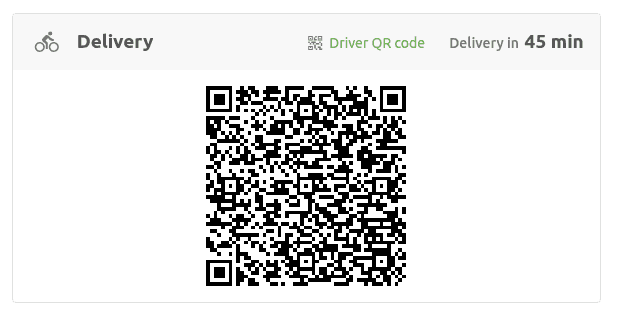
Delivery QR code: for restaurants that handle their own deliveries, a QR code is available, allowing the driver to scan and confirm the order pickup.
What's Next?
The new version of OrderLine is available now. Simply log in to start using it.
We continue to improve OrderLine to offer you an ever more efficient tool for your daily operations. Feel free to contact us at contact@hubrise.com to share your feedback and suggestions.
Have questions about this blog post?
Whether you're looking for more details about this article or want to find out how HubRise can help your business, we're here for you.