
Lightspeed Restaurant
- home
- Apps
- Lightspeed Restaurant
- Food Ordering Platforms

Food Ordering Platforms
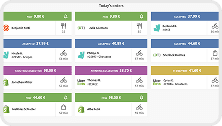
With HubRise, you can receive orders from Deliveroo, Just Eat, Uber Eats and other food platforms in Lightspeed Restaurant. You can also push your menu from Lightspeed Restaurant to food platforms.
This page describes the settings to use to connect food ordering platforms to Lightspeed Restaurant.
For more information, check the documentation of these platforms in our Apps page.
Configuration on Lightspeed Restaurant
Depending on your needs, you will need to create items, payment methods and account profiles in Lightspeed Restaurant.
If you prefer to let Lightspeed support configure these items for you, make sure to use the following channel names in support tickets to avoid any confusion:
| Platform | Channel name |
|---|---|
| Deliveroo | Deliveroo |
| Just-Eat.ch | Eat.ch (EAT) |
| Just Eat | Just Eat (JE) |
| HOP Delivery | HOP Delivery |
| Smood | Smood |
| Takeaway.com | Takeaway.com (TA) |
| Thuisbezorgd.nl | Thuisbezorgd.nl (TH) |
| Uber Eats | Uber Eats |
| Wolt | Wolt |
Standard Ref Codes
By convention, Lightspeed support team uses the predefined ref codes documented in this page when they set up the integration. If you configure the Lightspeed back office autonomously, we recommend that you use the same codes, as this will simplify troubleshooting.
For detailed instructions on how to create ref codes in the Lightspeed back office, see Creating Ref Codes.
Customise Charge Ref Codes
The charge ref codes provided in this page work for most setups. However, for each type of charge (small order fees, tips, bag fees, etc.), you can create products in Lightspeed with a variable positive price and use their codes instead to track them separately.
Delicity
To receive Delicity orders in Lightspeed, use the following values to configure Delicity. For assistance, contact Delicity support team. For more details on how to configure the parameters in Delicity, see the Delicity documentation.
| Section | Name | Ref code |
|---|---|---|
| Service types | Eat-in ref code | DCYEIAP |
| Service types | Takeaway ref code | DCYTAAP |
| Service types | Delivery ref code | DCYAP |
| Charges | Service fee ref code | DCY66 |
| Charges | Delivery charge ref code | DCY77 |
| Discounts | Discount ref code | DCY99 |
| Payments | Online payment ref code | DCYPM |
| Payments | Cash payment ref code | (leave empty) |
Deliveroo
To receive Deliveroo orders in Lightspeed Restaurant, you first need to connect Deliveroo Bridge, an app included in your HubRise subscription. For more information about Deliveroo Bridge, see the Deliveroo Bridge documentation.
In the Deliveroo Bridge configuration page, use the following settings:
| Section | Name | Ref code |
|---|---|---|
| Order statuses | Mark orders as Accepted | when their HubRise status changes to "Received" |
| Service types | Deliveroo fulfilled ref code | DVAP |
| Service types | Restaurant fulfilled ref code | DVMD |
| Service types | Takeaway ref code | DVMTA |
| Service types | Send orders delivered by Deliveroo as | delivery orders |
| Discounts | Discount ref code | DELD99 |
| Charges | Delivery charge ref code | DELD77 |
| Charges | Surcharge ref code | DELD88 |
| Charges | Bag fee ref code | (ask support@hubrise.com if you need it) |
| Payments | Online payment ref code | DVPM |
| Payments | Cash payment ref code | (leave empty) |
| Customers | Duplicate phone access code in [...] | Tick this box |
Just Eat Takeaway.com
To receive Just Eat orders in Lightspeed Restaurant, you first need to connect Just Eat Flyt Bridge, an app included in your HubRise subscription. For more information about Just Eat Flyt Bridge, see the Just Eat Flyt Bridge documentation.
Refer to the appropriate section below for the settings to enter on the Just Eat Flyt Bridge configuration page.
Just-Eat.ch
| Section | Name | Ref code |
|---|---|---|
| Order statuses | Mark orders as Accepted | when their HubRise status changes to "Received" |
| Service types | Just Eat delivery ref code | EATAP |
| Service types | Restaurant delivery ref code | EATDRAP |
| Service types | Takeaway ref code | EATTAAP |
| Service types | Send orders delivered by the platform as | delivery orders |
| Special items | Deposit option ref code | (leave empty) |
| Deals | Free item deal ref code | (leave empty) |
| Deals | Buy one get one free deal ref code | (leave empty) |
| Deals | Other deal ref code | (leave empty) |
| Discounts | Discount ref code | EAT99 |
| Discounts | StampCard Discount ref code | EAT99 |
| Charges | Delivery charge ref code | EAT77 |
| Charges | Service charge ref code | EAT66 (*) |
| Charges | Bag fee ref code | EAT66 (*) |
| Charges | Small order fee ref code | EAT66 (*) |
| Charges | Driver tip ref code | EAT66 (*) |
| Charges | Other charge ref code | EAT66 (*) |
| Payments | Online payment ref code | EATPM |
| Payments | Cash payment ref code | (leave empty) |
| Customers | Duplicate phone access code in [...] | Leave unchecked |
Just Eat.co.uk and Just Eat.ie
| Section | Name | Ref code |
|---|---|---|
| Order statuses | Mark orders as Accepted | when their HubRise status changes to "Received" |
| Service types | Just Eat delivery ref code | JEAP |
| Service types | Restaurant delivery ref code | JEDRAP |
| Service types | Takeaway ref code | JETAAP |
| Service types | Send orders delivered by the platform as | delivery orders |
| Deals | Free item deal ref code | (leave empty) |
| Deals | Buy one get one free deal ref code | (leave empty) |
| Deals | Other deal ref code | (leave empty) |
| Discounts | Discount ref code | JE99 |
| Discounts | StampCard Discount ref code | (leave empty) |
| Charges | Delivery charge ref code | JE77 |
| Charges | Service charge ref code | JE66 |
| Charges | Bag fee ref code | JE66 (*) |
| Charges | Small order fee ref code | JE66 (*) |
| Charges | Driver tip ref code | JE66 (*) |
| Charges | Other charge ref code | JE66 (*) |
| Payments | Online payment ref code | JEPM |
| Payments | Cash payment ref code | (leave empty) |
| Customers | Duplicate phone access code in [...] | Tick this box |
Takeaway.com
| Section | Name | Ref code |
|---|---|---|
| Order statuses | Mark orders as Accepted | when their HubRise status changes to "Received" |
| Service types | Just Eat delivery ref code | TAAP |
| Service types | Restaurant delivery ref code | TADRAP |
| Service types | Takeaway ref code | TATAAP |
| Service types | Send orders delivered by the platform as | delivery orders |
| Deals | Free item deal ref code | (leave empty) |
| Deals | Buy one get one free deal ref code | (leave empty) |
| Deals | Other deal ref code | (leave empty) |
| Discounts | Discount ref code | TA99 |
| Discounts | StampCard Discount ref code | (leave empty) |
| Charges | Delivery charge ref code | TA77 |
| Charges | Service charge ref code | (*) |
| Charges | Bag fee ref code | (*) |
| Charges | Small order fee ref code | (*) |
| Charges | Driver tip ref code | (*) |
| Charges | Other charge ref code | (*) |
| Payments | Online payment ref code | TAPM |
| Payments | Cash payment ref code | (leave empty) |
| Customers | Duplicate phone access code in [...] | Tick this box |
Thuisbezorgd.nl
| Section | Name | Ref code |
|---|---|---|
| Order statuses | Mark orders as Accepted | when their HubRise status changes to "Received" |
| Service types | Just Eat delivery ref code | THAP |
| Service types | Restaurant delivery ref code | THDRAP |
| Service types | Takeaway ref code | THTHAP |
| Service types | Send orders delivered by the platform as | delivery orders |
| Deals | Free item deal ref code | (leave empty) |
| Deals | Buy one get one free deal ref code | (leave empty) |
| Deals | Other deal ref code | (leave empty) |
| Discounts | Discount ref code | TH99 |
| Discounts | StampCard Discount ref code | (leave empty) |
| Charges | Delivery charge ref code | TH77 |
| Charges | Service charge ref code | (*) |
| Charges | Bag fee ref code | (*) |
| Charges | Small order fee ref code | (*) |
| Charges | Driver tip ref code | (*) |
| Charges | Other charge ref code | (*) |
| Payments | Online payment ref code | THPM |
| Payments | Cash payment ref code | (leave empty) |
| Customers | Duplicate phone access code in [...] | Tick this box |
(*) See Customise Charge Ref Codes.
HOP Delivery
To receive your HOP Delivery orders in Lightspeed, use the following values to configure HOP Delivery. For assistance, contact HOP Delivery support team.
| Section | Name | Ref code |
|---|---|---|
| Service types | HOP fulfilled ref code | HOPDEL |
| Service types | Restaurant fulfilled ref code | HOPREST |
| Service types | Takeaway ref code | HOPCOL |
| Discounts | Discount ref code | HOP99 |
| Charges | Delivery charge ref code | HOP77 |
| Charges | Service fee ref code | HOP88 |
| Payments | HOP payment ref code | HOPPM |
| Payments | Cash payment ref code | (leave empty) |
Smood
To receive your Smood orders in Lightspeed, use the following values to configure Smood. For assistance, contact Smood support team. For more details on how to configure the parameters in Smood, see the Smood documentation.
| Section | Name | Ref code |
|---|---|---|
| Service types | Platform delivery ref code | SMOODDEL |
| Service types | Restaurant delivery ref code | SMOODRDEL |
| Service types | Takeaway ref code | SMOODCOL |
| Service types | Send orders delivered by Smood as | Delivery |
| Discounts | Discount ref code | SMOOD99 |
| Discounts | Promotion ref code | SMOOD99 |
| Charges | Delivery charge ref code | SMOOD77 |
| Payments | Online payment ref code | SMOODPM |
Uber Eats
To receive Uber Eats orders in Lightspeed Restaurant, you first need to connect Uber Eats Bridge, an app included in your HubRise subscription. For more information about Uber Eats Bridge, see the Uber Eats Bridge documentation.
In the Uber Eats Bridge configuration page, use the following settings:
| Section | Name | Ref code or value |
|---|---|---|
| Order statuses | Mark orders as Accepted | when their HubRise status changes to "Received" |
| Service types | Uber delivery ref code | UEAP |
| Service types | Restaurant delivery ref code | UENDAP |
| Service types | Takeaway ref code | UEPUAP |
| Service types | Eat-in ref code | UEDIAP |
| Service types | Send orders delivered by Uber Eats as | delivery orders |
| Special items | Disposable items ref code | Create a product with price = 0 in Lightspeed and use its Code. (*) |
| Discounts | Discount ref code | UE99 |
| Charges | Delivery charge ref code | UE77 |
| Charges | Small order fee ref code | UE66 (**) |
| Charges | Bag fee ref code | UE66 (**) |
| Charges | Tip ref code | UE66 (**) |
| Payments | Online payment ref code | UEPM |
| Payments | Cash payment ref code | (leave empty) |
| Customers | Duplicate phone access code in [...] | Tick this box |
(*) Only applies if you offer disposable items, such as cutlery, napkins, etc. (**) See Customise Charge Ref Codes.
Wolt
To receive Wolt orders in Lightspeed Restaurant, you first need to connect Wolt Bridge, an app included in your HubRise subscription. For more information about Wolt Bridge, see the Wolt Bridge documentation.
In the Wolt Bridge configuration page, use the following settings:
| Section | Name | Ref code or value |
|---|---|---|
| Order statuses | Mark orders as Accepted | when their HubRise status changes to "Received" |
| Service types | Delivery by Wolt ref code | WOAP |
| Service types | Restaurant delivery ref code | WODRAP |
| Service types | Takeaway ref code | WOTAAP |
| Discounts | Discount ref code | WO99 |
| Discounts | Delivery discount ref code | WO99 |
| Charges | Delivery charge ref code | WO77 |
| Charges | Small order surcharge ref code | WO66 (*) |
| Charges | Service fee ref code | WO66 (*) |
| Charges | Delivery tip ref code | WO66 (*) |
| Charges | Marketing campaign fee ref code | WO66 (*) |
| Payments | Online payment ref code | WOPM |
| Payments | Cash payment ref code | (leave empty) |
(*) See Customise Charge Ref Codes.