
AlFiManagement by AlFi Solutions
- home
- Apps
- AlFiManagement by AlFi Solutions
- Receive Orders

AlFiManagement by AlFi Solutions
AlFiManagement by AlFi Solutionsexpand_more
Receive Orders
When AlFiManagement is connected to HubRise, it receives orders in real time.
A pop-up notification appears when a new order arrives. You can hide the notification or open the order.
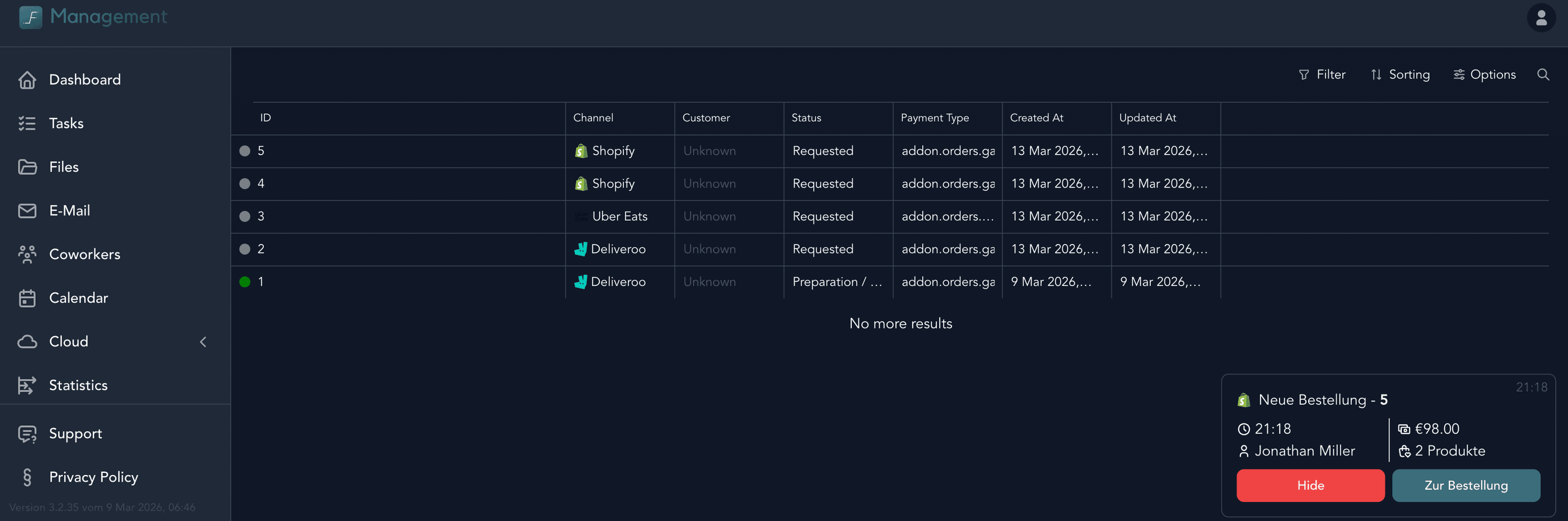
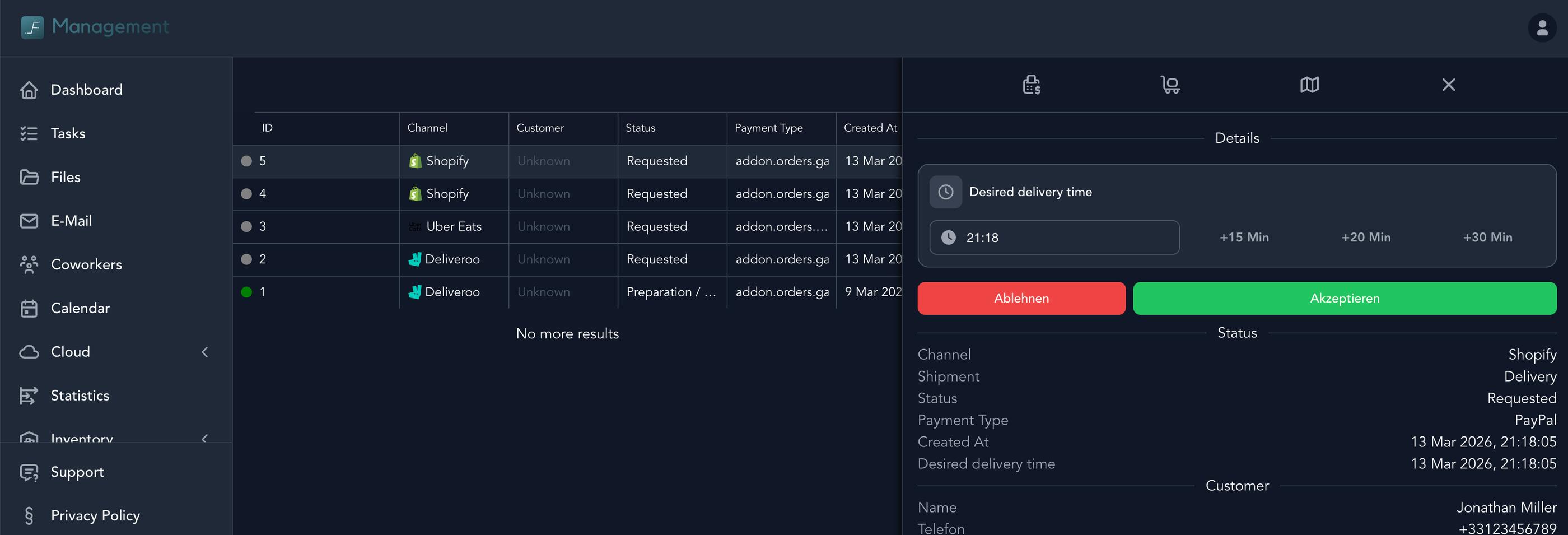
New orders immediately appear in the order list. To view the list of orders, follow these steps:
- Connect to the AlFiManagement back office.
- In the left-hand menu, scroll to the bottom and select Orders > Overview.
- Click the order you want to view.
Feedback on this page