
FAQs
- home
- Apps
- MyFoodFast
- FAQs
- Migrating MyFoodFast from Deliverect to HubRise. What Do I Need to Know?
Migrating MyFoodFast from Deliverect to HubRise. What Do I Need to Know?
HubRise is an integration platform that lets you connect MyFoodFast with other apps, including food delivery platforms (Uber, Deliveroo, Just Eat), online ordering solutions, and more.
For a full list of compatible apps, see our Apps page.
Comparison between Deliverect and HubRise
HubRise is an alternative to Deliverect which allows you to:
- Receive orders from multiple channels (Uber Eats, Deliveroo, your own website...) into your EPOS.
- Edit and synchronise all your online ordering menus from your EPOS user interface.
HubRise offers a competitive pricing, with no setup fees and no commitment.
How HubRise Works in Conjunction with MyFoodFast EPOS
When integrating online ordering solutions or food ordering and delivery platforms to MyFoodFast via HubRise, most actions can be done on MyFoodFast back office to ease restaurant owner day to day operations.
See actions done on MyFoodFast:
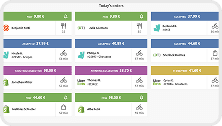
- Receive all orders from multiple channels into MyFoodFast.
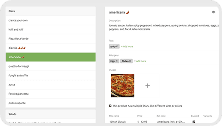
- Edit menus for all your ordering channels on MyFoodFast.
- Synchronise all online menus in one click on MyFoodFast.
You will connect to HubRise to change your Uber Eats and Just Eat opening hours.
Connecting MyFoodFast to HubRise
To migrate from Deliverect to HubRise, contact MyFoodFast support to request a migration.
Alternatively, you can follow the steps described in Connect to HubRise to connect MyFoodFast to HubRise. You will then need to contact us to connect your apps. Make sure to mention that you are currently with Deliverect to ease the migration.