
MyFoodFast
- home
- Apps
- MyFoodFast
- Connect to HubRise

Connect to HubRise
You can connect MyFoodFast to HubRise autonomously from your MyFoodFast back office.
To activate the connection between MyFoodFast and HubRise, follow these steps.
- Log in to your MyFoodFast back office.
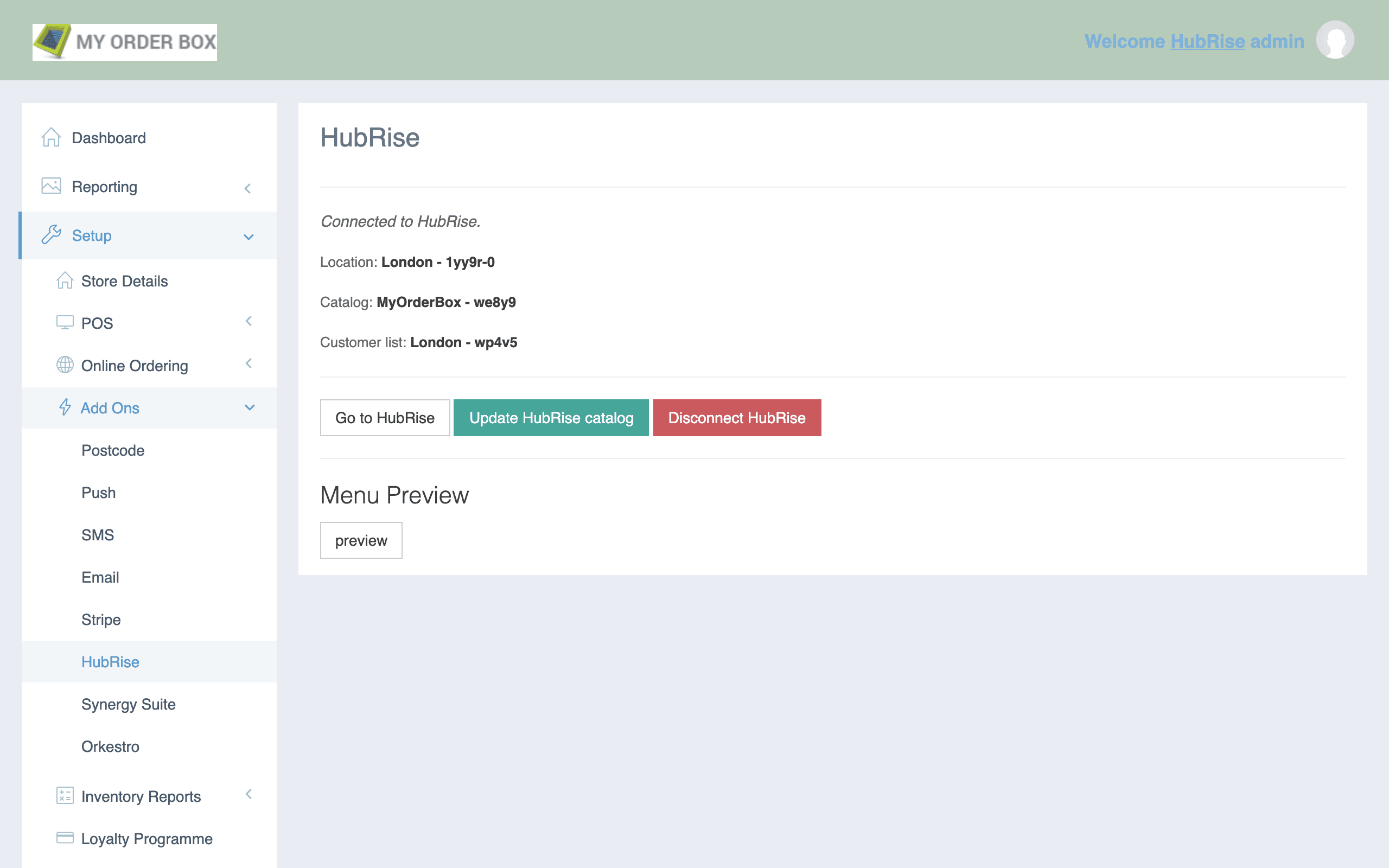
- From the navigation menu, select Setup > Add Ons > HubRise.
- Click the Connect HubRise button.
- From the HubRise authorisation page, select the location you want to connect and click Allow to give MyFoodFast access to your data.
- Navigate to Setup > Add Ons > HubRise again to verify the details of your HubRise connection.
Once connected to HubRise, the location details will appear in your MyFoodFast back office.
If you want to connect multiple restaurants, each location should be connected to HubRise independently following the steps outlined above.
Feedback on this page